One system for the whole operation.
From the first squawk to the signed logbook entry, every step lives in MRO Tracker. Work orders, task cards, compliance, parts and purchasing, hangar, flight ops, training and billing share one record of each aircraft, for operators, repair stations and flight schools.
New in MRO Tracker 2.2
The latest in MRO Tracker
This release adds Production for Part 21 manufacturers, a to-scale hangar layout, crew planning, a smarter trip planner with load and runway checks, an Engineering workspace for your technical services desk, a Maintenance overview on Home, engine data from Garmin and JPI logs, Program Management, Microsoft Teams and one mobile app in 5 flavors, on top of everything that came in 2.1.
Production (Part 21)
NEWMake parts under a PMA, TSO authorization or production certificate. Released design data with revisions, travelers with operator and inspector sign-off, measurements against the drawing, material traceability to the cert, AS9102 first article inspection, FAA Form 8130-3 release and as-built records for every serial number, then shipping with a certificate of conformance, ICA distribution to the holders and ADs against your own approvals.
Online supplier applications
NEWRequest a new supplier from Stores and they get a secure link to an online application: company details, quality questions, certificates, insurance and W-9 or W-8. Quality reviews it, asks for more if needed, and an approval puts the supplier on your approved list with its scope, contacts and documents.
Power BI and Excel
NEWReport-ready data for Power BI and Excel: aircraft availability, maintenance due, squawks, work orders, labor, flights, invoices and stock. An admin creates a read-only reporting key, and reports refresh on their own schedule.
Nonconformance, escapes & 21.3
NEWNCRs with Material Review Board dispositions and engineering references, suspected unapproved or counterfeit parts quarantined, quality escapes with the 24-hour 21.3 report clock, and field reports from operators linked to the escape and its corrective action.
Changes, baselines & SPC
NEWEngineering change orders classified minor or major under 21.93, with engineering and quality approval and the effectivity. Functional, allocated and product baselines, control charts with Cp and Cpk on key characteristics, and a compliance matrix for 21.137, AS9100 and IA9100.
Hangar layout
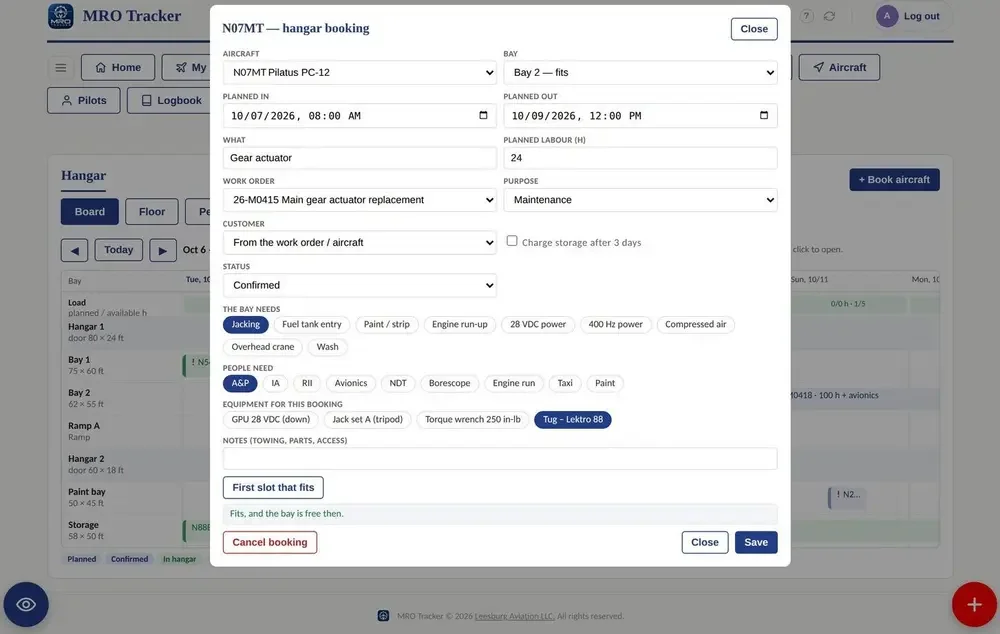
NEWA to-scale floor plan of each hangar with bays, doors, columns and zones. Park aircraft by their real wingspan and length with clearance checks, book equipment against an aircraft, work order or bay, and keep doors, keys and codes per hangar.
Crew planning
NEWRosters and time off, crew suggestions with a rest and duty look-ahead, trip acceptance and swaps, positioning counted as duty, crew capacity and training due, with crew notices by email, text, Teams or WhatsApp.
Trip planner: altitude, load & runway
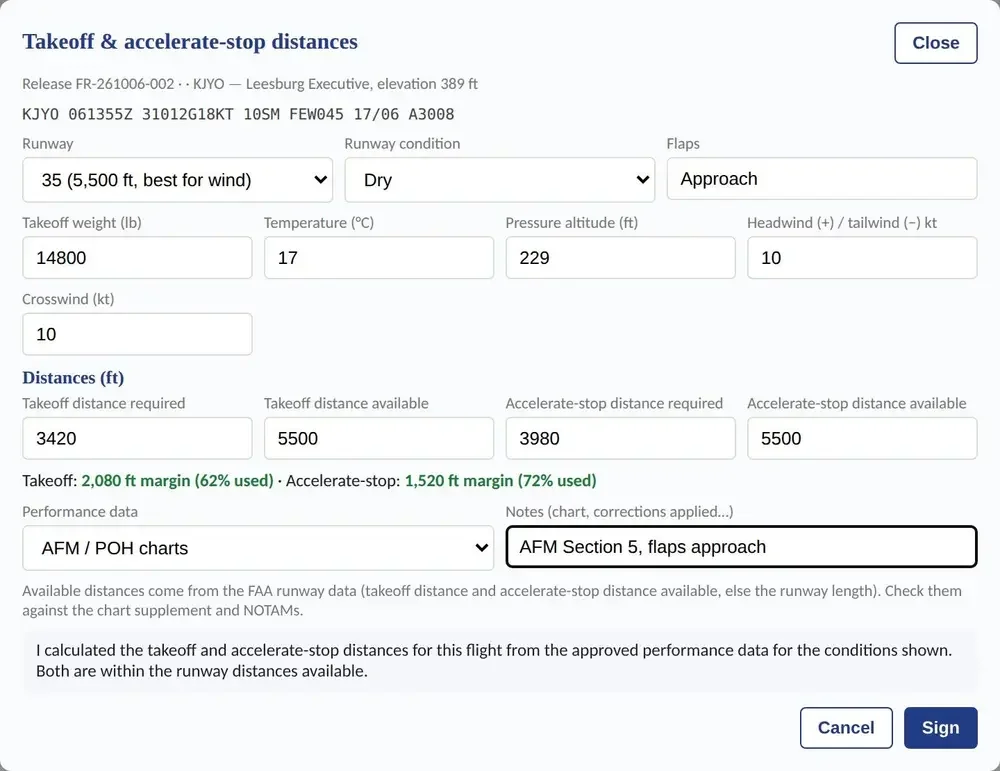
NEWThe planner recommends the cruising altitude from the forecast winds, fuel burn and terrain clearance, plans people, bags and fuel per leg against weight and balance, and checks takeoff and landing distance from your AFM charts with the forecast weather.
Inspection worksheets
NEWBuild the inspection package in one click (phases, annual, 100-hour or Maintenance Due items) from the manufacturer's checklists, then work it on screen: tick off each item, sign it, and get the independent inspection where it's required.
Program resources & scenarios
NEWImport and export Microsoft Project plans, plan people, roles and equipment week by week with a resource heat map across programs, and try what-if scenarios before applying them to the plan.
Accounting setup
NEWEach organization gets its own chart of accounts (a standard aviation chart, CSV or QuickBooks import) and posting rules by line and invoice type with tracking codes, posted to QuickBooks or exported as a general journal.
Marketplace chat
NEWAsk the seller about an aircraft or part and carry on the conversation in a chat. Sellers answer in MRO Tracker, by email or straight from Microsoft Teams.
EASA and national authorities
NEWSet your authority per organization: EASA Form 1 and CRS, Part-66 licences and authorisations, ARC tracking, and national release wording for the UAE GCAA, Kenya KCAA and South Africa SACAA.
Microsoft Teams
NEWMRO Tracker alerts in Teams with an Open in MRO Tracker button. Create Teams meetings from Program Management and Business Development, with invitations from your Outlook calendar, and chat, call or meet with colleagues in one click.
Engineering workspace
NEWA desk for technical services. Mechanics ask from any task card with "Ask engineering"; engineers answer with a disposition and the approved data behind it, with AOG, urgent and routine due times. Repairs and alterations get a major / minor classification and a Form 337 filled from the record, plus AD / SB review and reliability by ATA chapter.
Engineering orders & library
NEWEngineering orders and work instructions approved with an electronic signature and published as task card templates. A technical library with revisions and read-and-acknowledge, configuration status per aircraft, inspection program changes mapped to your templates, and parts interchangeability shared with Stores.
Damage map
NEWMark dents, cracks and repairs on a diagram of the aircraft, picked from its model, with photos from the phone camera, so engineers and inspectors see the same history every time.
Maintenance overview
NEWHome opens on what needs attention: overdue and due-soon items, open discrepancies with the grounding count, open work orders and Engineering requests, and the aircraft that need you most, worst first.
Engine data
NEWImport Garmin and JPI engine logs into each aircraft's Flight Log: graphs, trends, limits per engine type (piston, turboprop, turbofan), GAMI and mag checks, exceedances linked to squawks, and a Flight Report PDF.
Trip planning & airport info
NEWPlan routes with airways, a winds-aloft NavLog, fuel, a map and vertical profile, multi-leg trips and saved drafts, then apply the trip to the release. Airport info brings NOTAMs, weather, a runway diagram with the wind and FAA charts.
Program Management
NEWFor government and prime contracts: programs, deliverables with a calendar, risks, changes and furnished items, with a WBS and baseline, earned value from shop-floor hours and review pack PDFs.
Files, organized
NEWFolders, tags, a sortable table, suggested sorting, bulk move, drag to a folder and drag-and-drop upload of several files at once.
One mobile app, 5 flavors
SOONComing soon for iPhone, iPad and Android: Admin, Pilot, Mechanic, Student and FAA, matched to each person's sign-in and role. Engineering requests with camera photos and the damage diagram are in the Admin and Mechanic flavors, and it keeps working without signal. Mechanic overview (PDF) · Student overview (PDF)
Stores & purchasing
2.1A full parts store: stock by serial and batch, purchase orders with approval limits, receiving inspection before anything is issued, repairs, exchanges and consignment, stock counts and three-way-matched vendor bills. Quantities stay in MRO Tracker; values post to QuickBooks.
Online parts store
2.1Sell serviceable parts on your own store with its own web address: photos, condition and live stock, card payments straight to your own Stripe account, shipping or pickup, and paid orders landing in Stores to pick and ship. Stores and web store overview (PDF) →
Multi-currency
2.1Buy and bill in any currency. Each organization sets its base currency and uses the daily exchange rates or its own. Orders, bills, quotes and invoices carry their rate, exchange gains and losses are booked, and customers pay online in their currency.
Live flight tracking
2.1Flight Following shows where each dispatched aircraft is, from Flightradar24: altitude, speed and ETA, or where it landed. Overdue alerts say where it was last seen, and check-in offers the tracked takeoff and landing times.
CAMP Due List import
2.1Export your Due List from CAMP MTX to Excel or CSV and bring it into Maintenance Due as is: item, interval, last complied with, next due and time remaining. Direct CAMP sync is on the way.
Safety management (Part 5)
2.1A Part 5 checklist, a signed safety policy, a risk register with controls and owners, investigations, management of change, and safety indicators counted from hazard reports and FRATs.
Life-limited parts
2.1Each part's life against the limit it reaches first, approved extensions shown beside the original limit, back-to-birth history and PDFs, alerts before a limit and dispatch blocked at it. Directors of Maintenance approve every limit and extension.
MFA and single sign-on
2.1Sign in with an authenticator app, email code or text code, with recovery codes. Admins can require it for their organization, or sign everyone in through Okta, Microsoft Entra ID, Google Workspace or another SAML provider.
Partner API
2.1A REST API for the systems you already run: keys per partner, field-level permissions, rate limits, allowed IP addresses, a log of every call and signed webhooks when records change.
Move between organizations
2.1Move an aircraft, a tool or hangar equipment to another organization in a few clicks. You see exactly what moves before you confirm, and it moves in one step.
Flight School edition
2.1Syllabus and graded lessons, stage checks, endorsements, student and renter booking rules, and rental billing with prepaid accounts. See the edition →
Electronic signatures
2.1Every sign-off on its own login with role, date and time. Signed records lock, and any later change keeps its approver and reason. How it works →
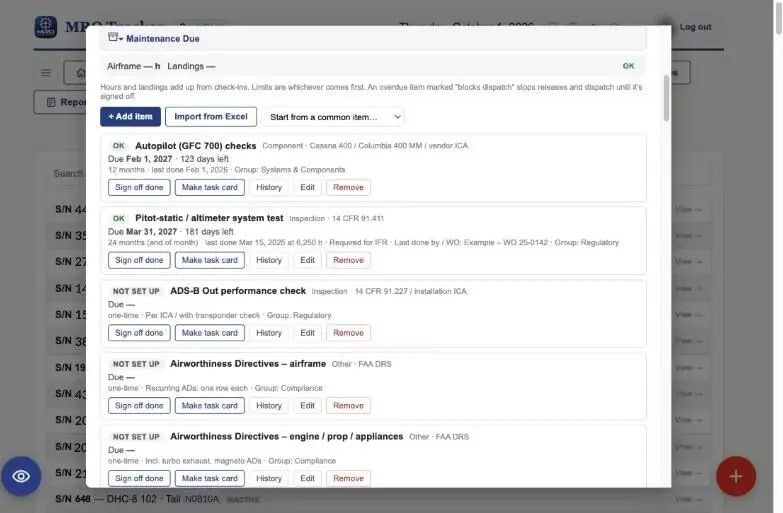
Compliance you can see coming.
ADs, service bulletins and inspections tracked by hours, landings and calendar. See what is due next and how it was last signed off. Overdue items block dispatch until cleared.
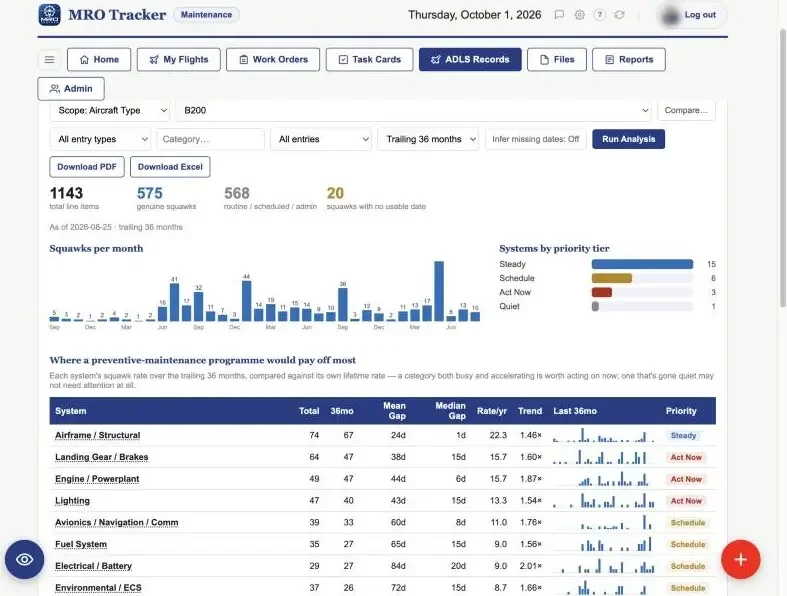
See where your squawks come from.
MRO Insight reads your discrepancy history and shows squawks per month, which systems are getting worse and where a preventive program would pay off. Ask questions about the fleet in plain English.
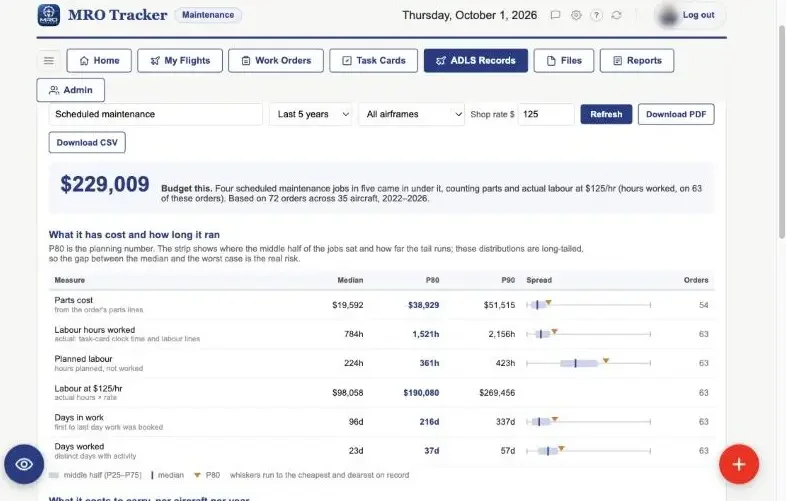
Budget from your own history.
Estimate the next inspection or overhaul from the work orders you have already closed: parts, labor hours and days down, with the typical and worst case. Set your shop rate and download the result as a PDF.
Plan the hangar, not just the work.
Book aircraft into bays that fit them, with the people, ratings and equipment each job needs. A 13-week forecast shows labor and bay-days against capacity, including items coming due.
Dispatch with the numbers in hand.
Weight and balance, takeoff and landing performance, crew duty limits and the flight release in one workflow. Airworthiness is checked against open squawks and due items before the aircraft is released.
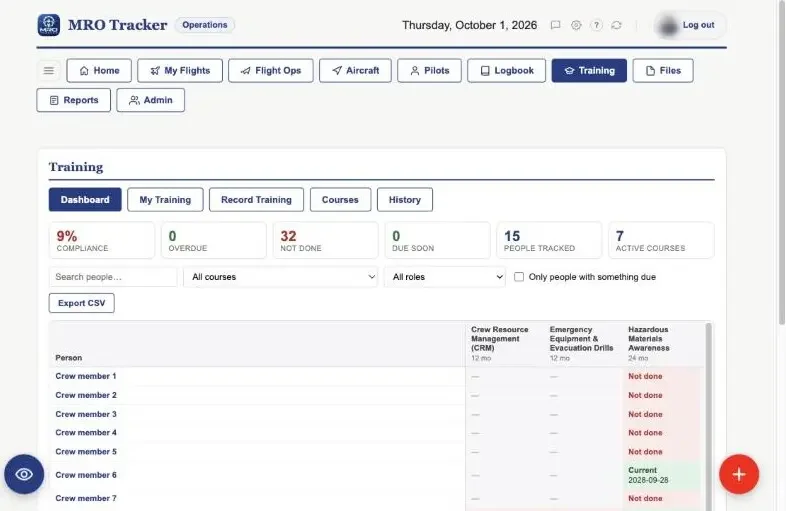
Know who is current before you schedule them.
Type ratings, recurrent training, medicals and currency for every pilot and technician, with expiry warnings before they lapse. Crew scheduling checks qualifications as you assign.
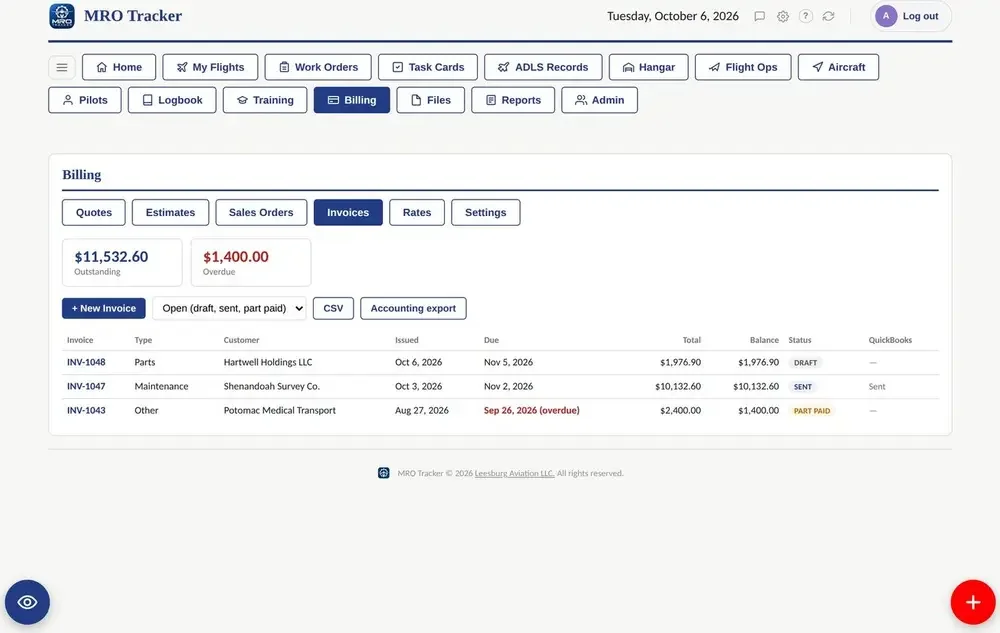
Bill for the work you already logged.
Quotes, estimates and work orders become invoices from the work already recorded. Customers pay online, and invoices and payments go to QuickBooks or a CSV export.